
RECODER-COMPOSE – Smart Home & Monitoring Platform
A comprehensive Docker Compose setup for running a complete smart home and monitoring platform on Ubuntu Linux, featuring DVR, Node-RED, Home Assistant, Grafana, InfluxDB, and more.
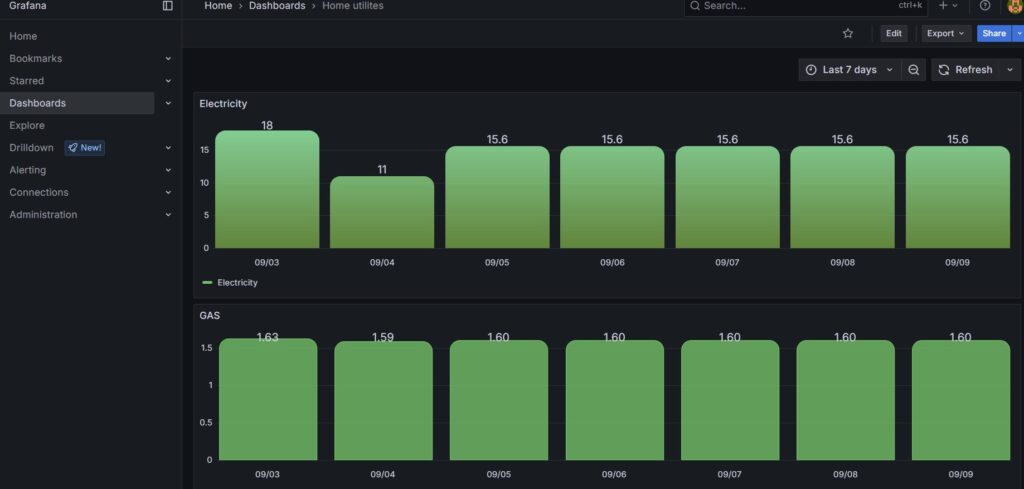
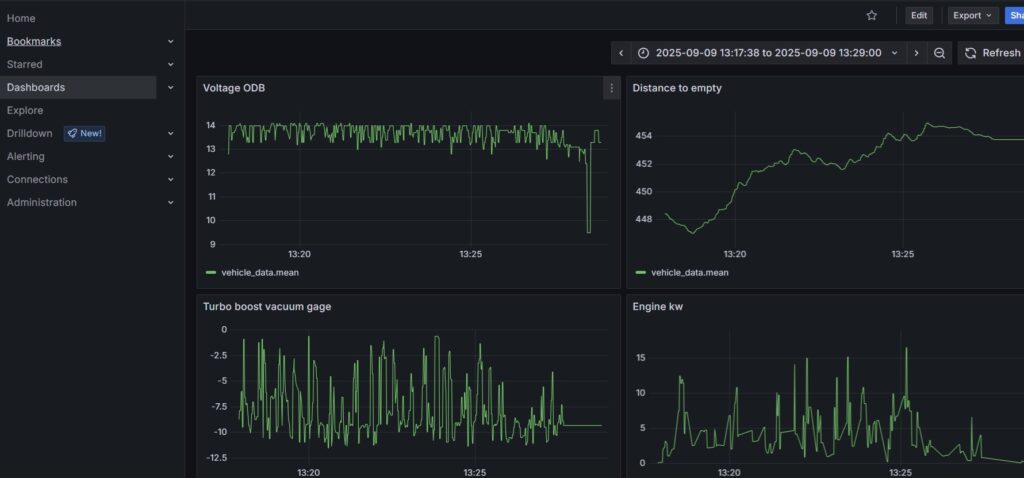
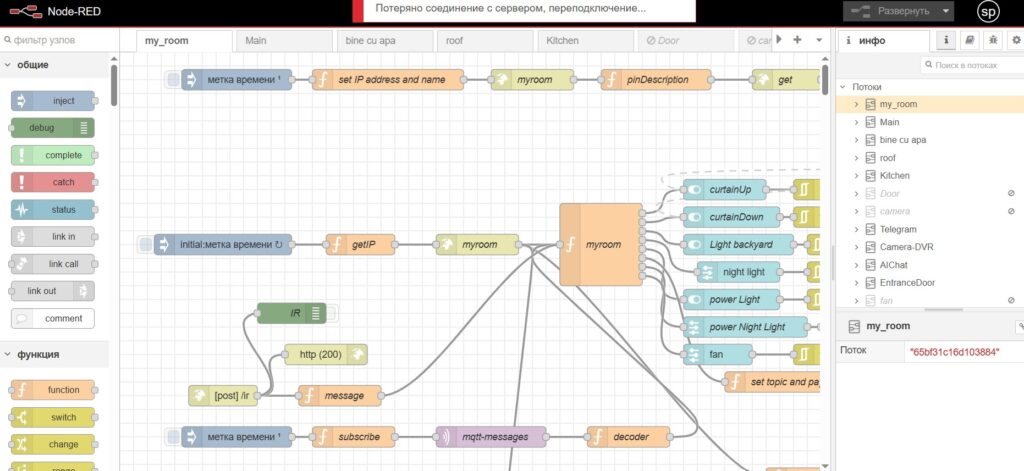
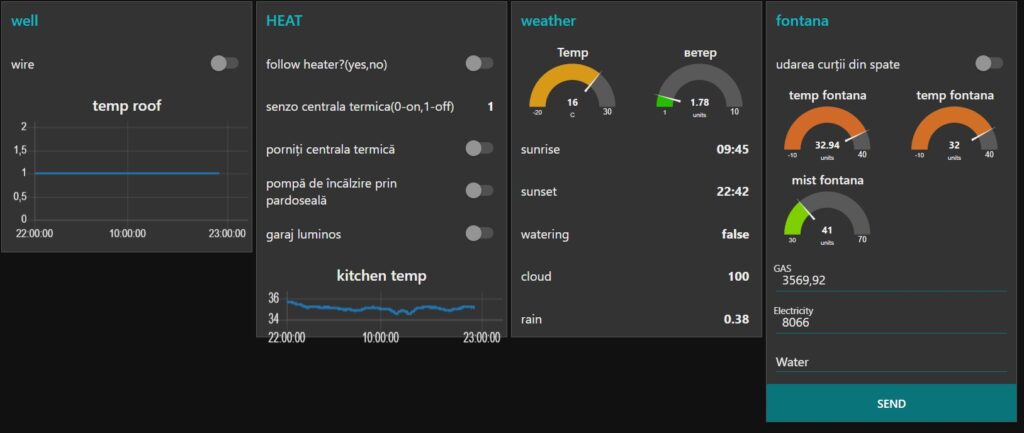
?️ System Requirements
| Operating System | Ubuntu Linux (tested on Ubuntu 20.04/22.04) |
| RAM | Minimum 4GB, Recommended 8GB+ |
| Storage | Minimum 50GB free space |
| Network | Stable internet connection |
? Prerequisites – Docker Installation
Before starting, Docker must be installed on your system. Use the provided installation script:
cd /home/recoder/RECODER-COMPOSE
chmod +x scripts/installdocker.sh
./scripts/installdocker.sh- Install Docker CE and Docker Compose
- Add your user to the docker group
- Create the required
app_networkDocker network - Start Docker service
? Quick Start
- Clone and navigate to the project directory:
cd /home/recoder/RECODER-COMPOSE - Start all services:
docker-compose up -d - Stop all services:
docker-compose down
? Domain Configuration
- Edit the Nginx configuration:
nano nginx-reverse-proxy/nginx.conf - Replace all instances of:
ecologic.go.ro→your-domain.comrecmy.pp.ua→your-subdomain.comgica-paint.pp.ua→your-paint-domain.com
- Update SSL certificates paths in the nginx.conf file to match your domain’s certificates.
? Project Structure
RECODER-COMPOSE/
├── Docker-agentDVR/          # DVR surveillance system
├── FRIGATE/                  # AI video analysis
├── homeassistant/            # Home automation platform
├── InfluxDB_Grafana/         # Time-series DB and visualization
├── nginx-reverse-proxy/      # SSL proxy and routing
├── node-red_docker/          # Visual IoT programming
├── scripts/                  # Installation and utility scripts
├── other/                    # Documentation images
└── zone-minder/              # Video monitoring
? Service Management
Individual Service Control
# Start specific service
cd homeassistant && docker-compose up -d

# View logs
docker-compose logs -f [service-name]

# Restart service
docker-compose restart [service-name]
Network Reconnection Service
# Create systemd service
sudo nano /etc/systemd/system/network-reconnect.service
[Unit]
Description=Network Reconnect Script
After=network.target
[Service]
ExecStart=/home/recoder/RECODER-COMPOSE/reconnect.sh
Restart=always
User=recoder
[Install]
WantedBy=multi-user.target- Enable and start the service:
chmod +x /home/recoder/RECODER-COMPOSE/reconnect.sh
chown -R recoder:recoder /home/recoder/RECODER-COMPOSE/
sudo systemctl daemon-reload
sudo systemctl enable network-reconnect.service
sudo systemctl start network-reconnect.service
? Service Access
- Home Assistant: https://home.recmy.pp.ua
- Node-RED: https://node.recmy.pp.ua
- Grafana: https://graf.recmy.pp.ua
- Main Website: https://ecologic.go.ro
- Voice Service: https://voice.ecologic.go.ro
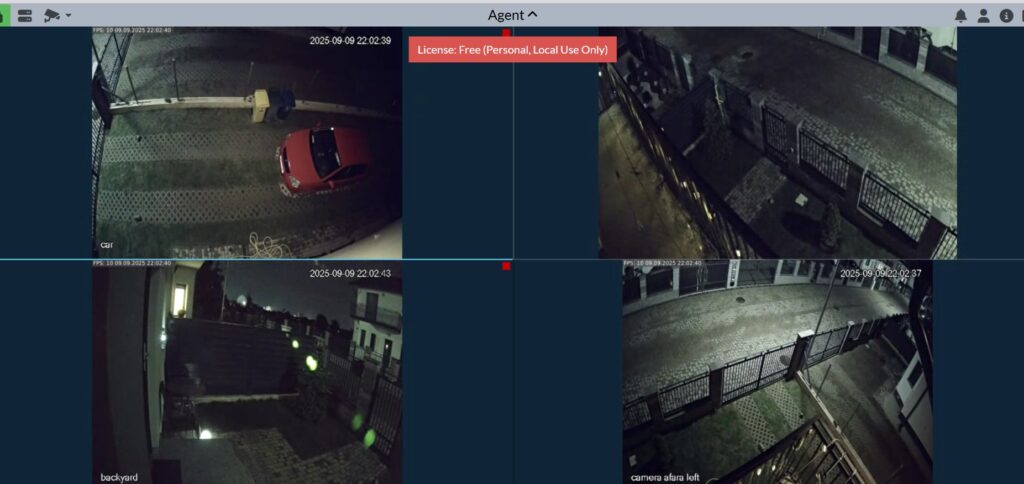
- Agent DVR: Port 8090 (via nginx proxy)
?️ Maintenance Scripts
backup.sh– System backup utilityrestore_backup.sh– Restore from backupcheck_ram.sh– Monitor system resourcesgit_push.sh– Git operationsufw.sh– Firewall configuration
? Security Notes
- All services run behind Nginx reverse proxy with SSL
- Firewall rules should be configured using
scripts/ufw.sh - Regular backups are recommended using
scripts/backup.sh - Monitor system resources with
scripts/check_ram.sh
? Logs and Troubleshooting
# Check network reconnect service
sudo systemctl status network-reconnect.service
sudo journalctl -u network-reconnect.service

# View Docker logs
docker-compose logs -f [service-name]

# Check system resources
./scripts/check_ram.sh
? Contributing
This is a personal smart home setup. Feel free to adapt the configuration for your own use case.
? License
This project is for personal use. Individual services maintain their respective licenses.
https://github.com/spspider/recoder-docker-compose-files: RECODER-COMPOSE – Smart Home & Monitoring Platform